
Proposals
-
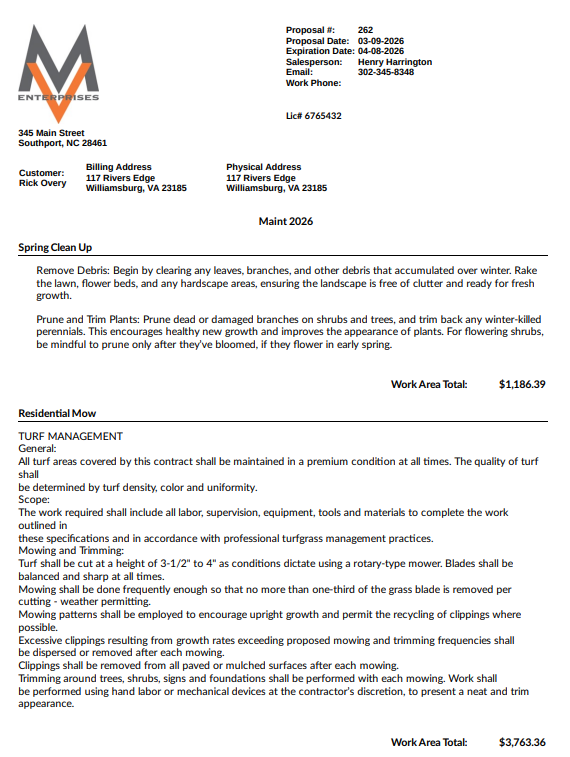
Maintenance Proposal with Work Area Prices
This proposal format displays each work area and includes the total price for each work area. Warranties are selected based on the type of work being proposed. Payment schedules can be set up based on percentages of the total price. Multiple salespeople, crews, billing types and taxes can be displayed on the same proposal. Standard terms and conditions are typically set up per company. Up to two customer named signature lines can be displayed on the proposal.
-
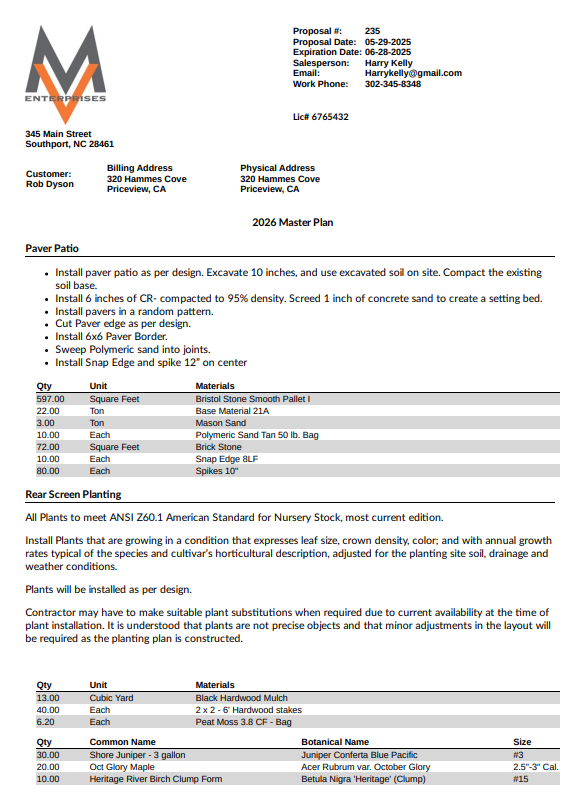
Construction Proposal no Work Area Prices with Options
This proposal format displays each work area and does not display the total price for each work area. Warranties are selected based on the type of work being proposed. Payment schedules can be set up based on percentages of the total price. Multiple salespeople, crews, billing types and taxes can be displayed on the same proposal. Options can selected by work area and will be listed below the payment schedule ans will not be included inthe total price for the proposal.
-
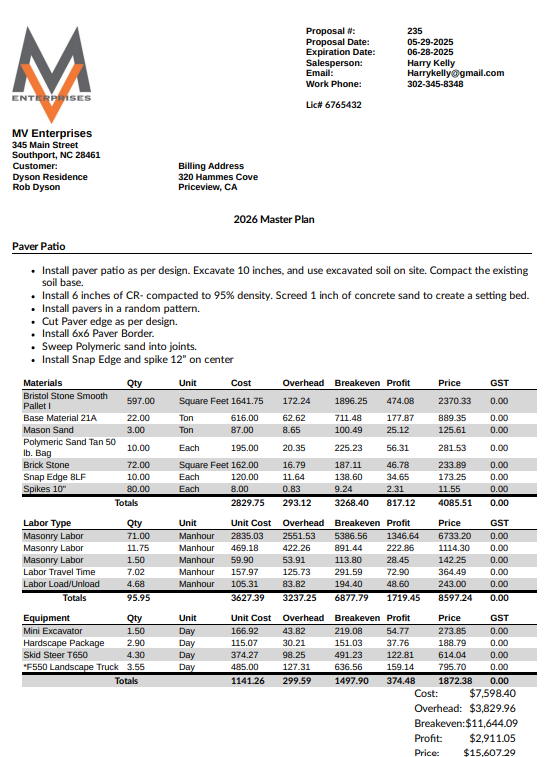
Internal Detailed Proposal
The internal detailed proposal is typically used internally by managers and supervisors. It displays the scope of work and the line item detail with quantity, overhead, break even and price. It includes labor material equipment and subcontractor sections.
Reports
-
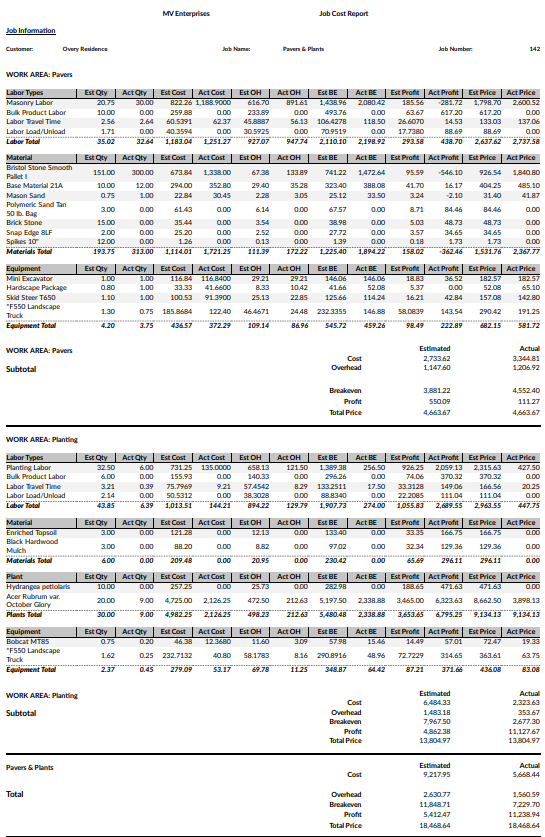
Job Cost Statement Report
Detailed report with line item detail of the Bid vs. Actual by work area,
-
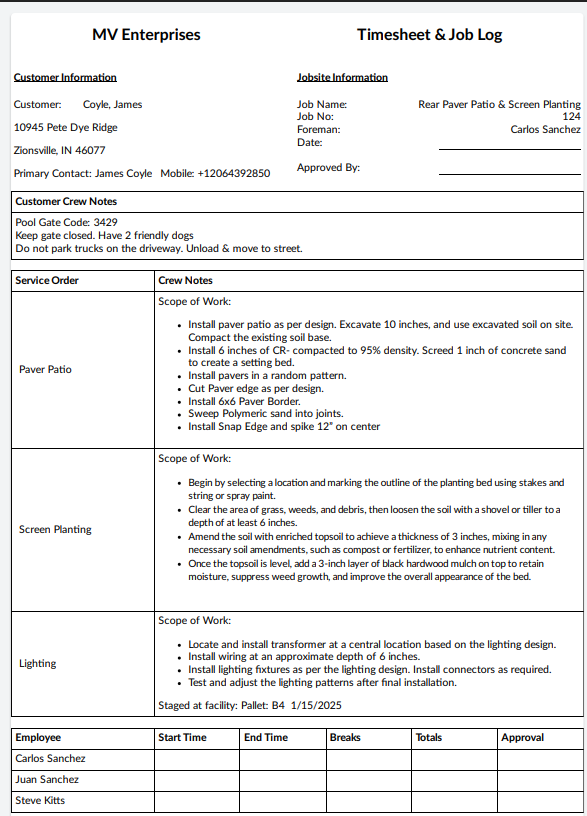
Timesheet
Paper timesheet completed each day by foreman.
-
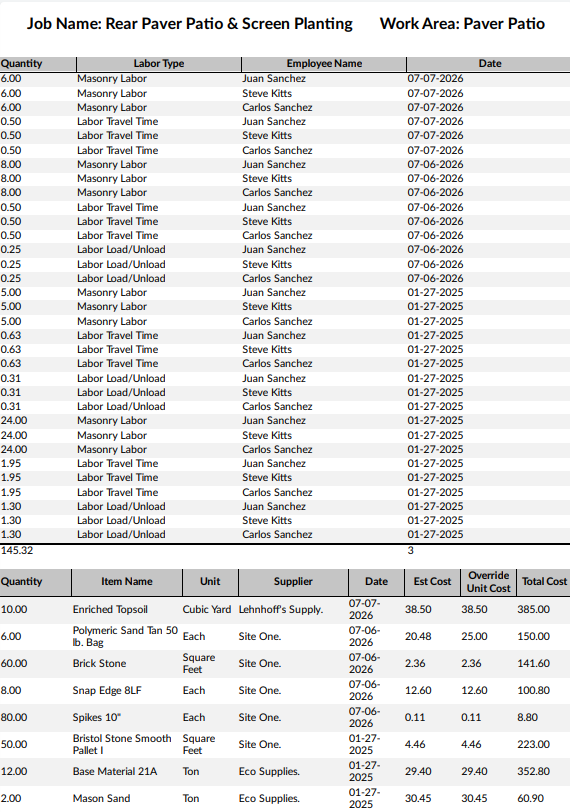
Job Entry Report
Report displays combined entries per work area per job.
-
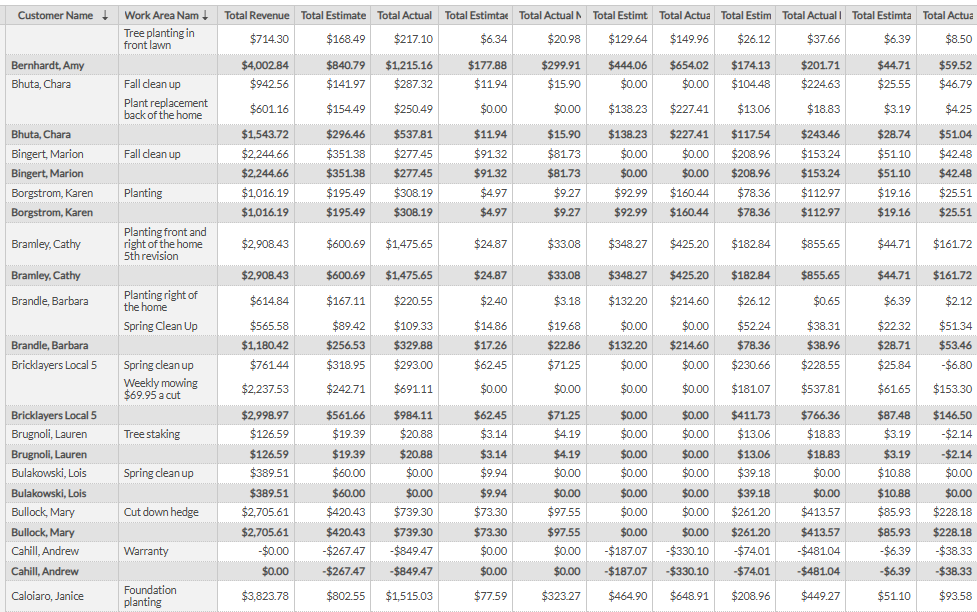
Profit By Employee
This very powerful summary report displays each work area and includes total revenue and total profits. This allows a company to have a compensation or incentive program with the primary focus on earned profit for each employee. This is the ultimate accountability report for key employees. It also displays bid versus actual profit by customer.
-
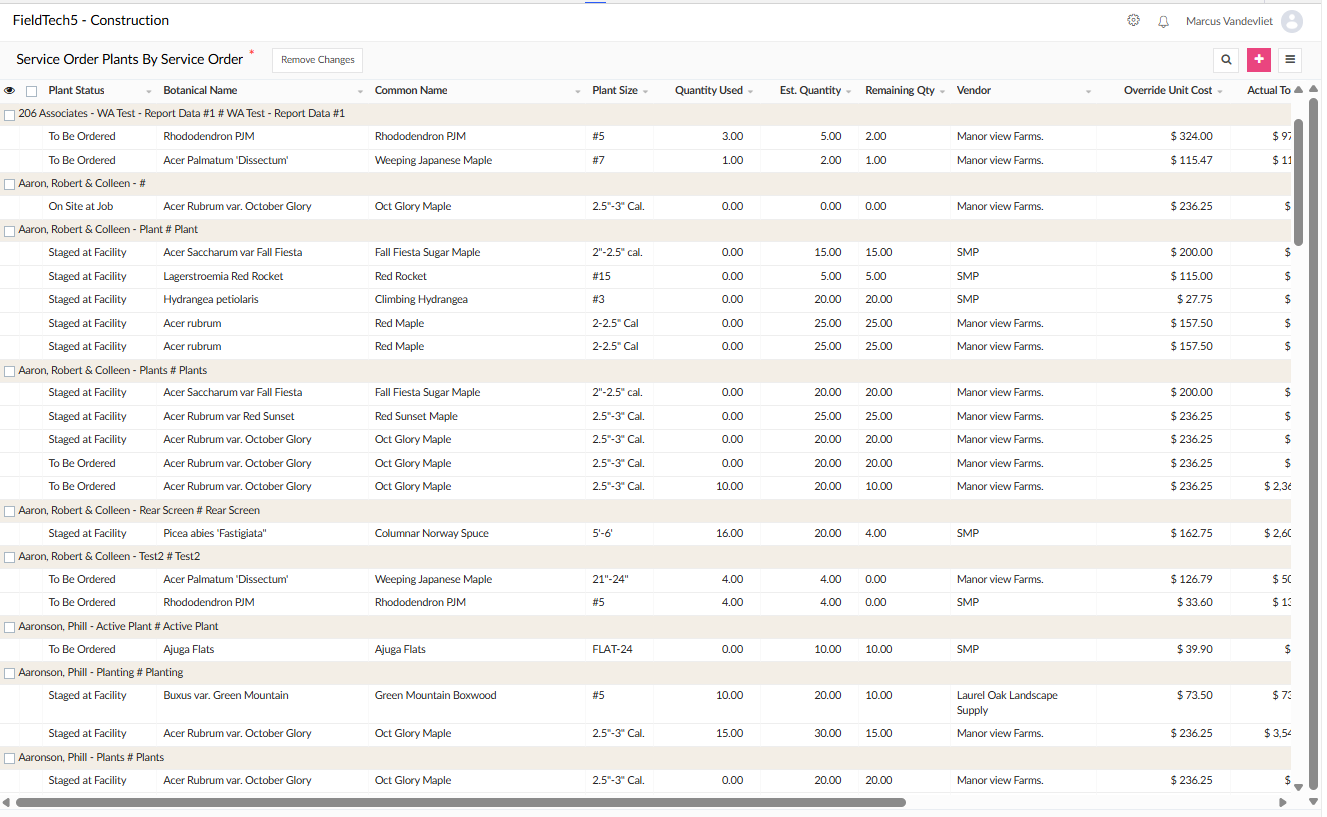
Material Status Report
This report Displays the Plant status put line item for each project. This allows the purchaser to track the exact status such as to be ordered, on site, inventory, staged, Pick up at supplier and delivery by supplier. This report also shows the estimated quantity and quantity used and can be grouped by supplier and can be exported to excel.
-
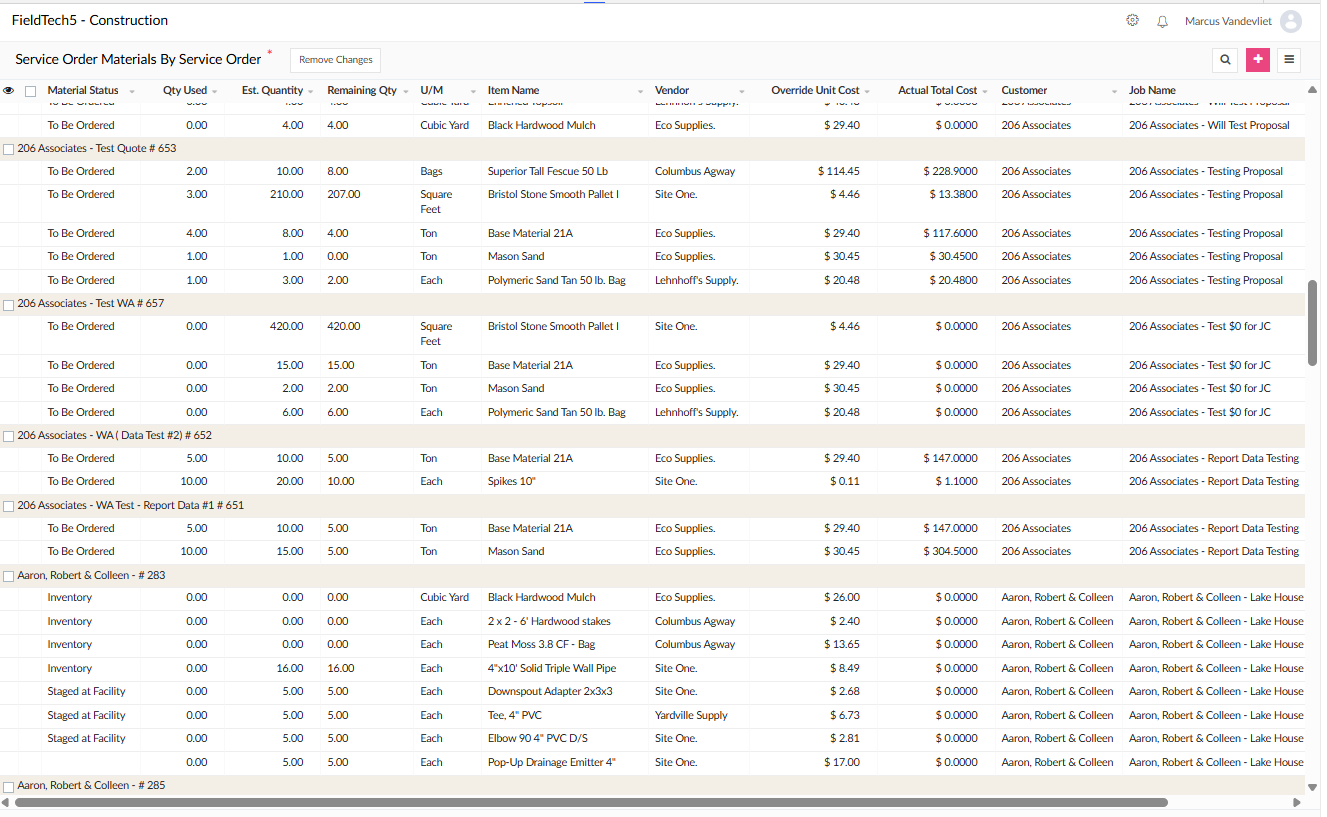
Plant Status Report
This report Displays the Material status put line item for each project. This allows the purchaser to track the exact status such as to be ordered, on site, inventory, staged, Pick up at supplier and delivery by supplier. This report also shows the estimated quantity and quantity used and can be grouped by supplier and can be exported to excel.
Internal Forms
-
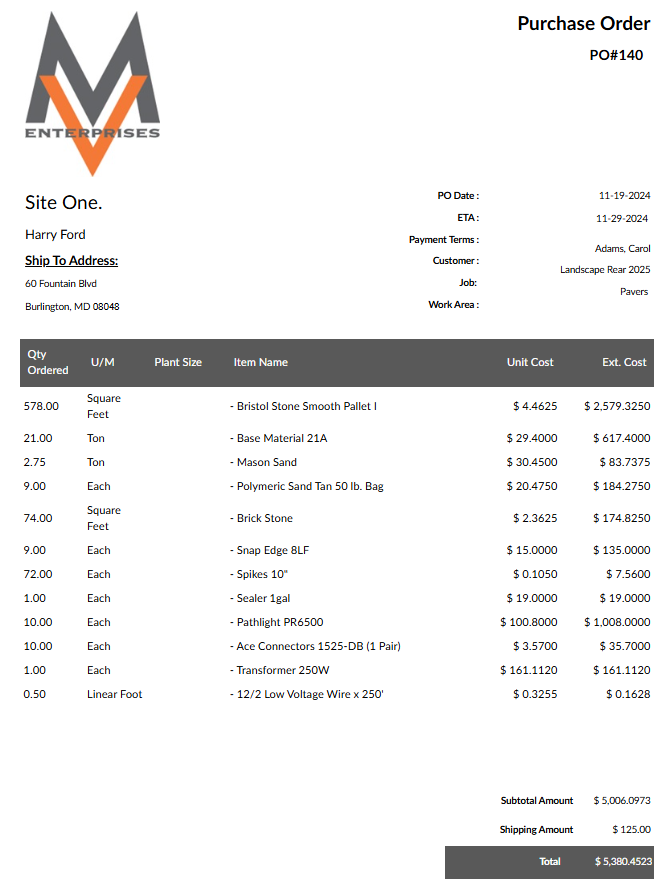
Purchase Order Form
The purchase order form is created from the proposal materials list. A purchase order is generated by work area and supplier. When the proposal is converted to a job it is still possible to edit the supplier and unit cost, and therefore create an updated purchase order prior to ordering materials.
-
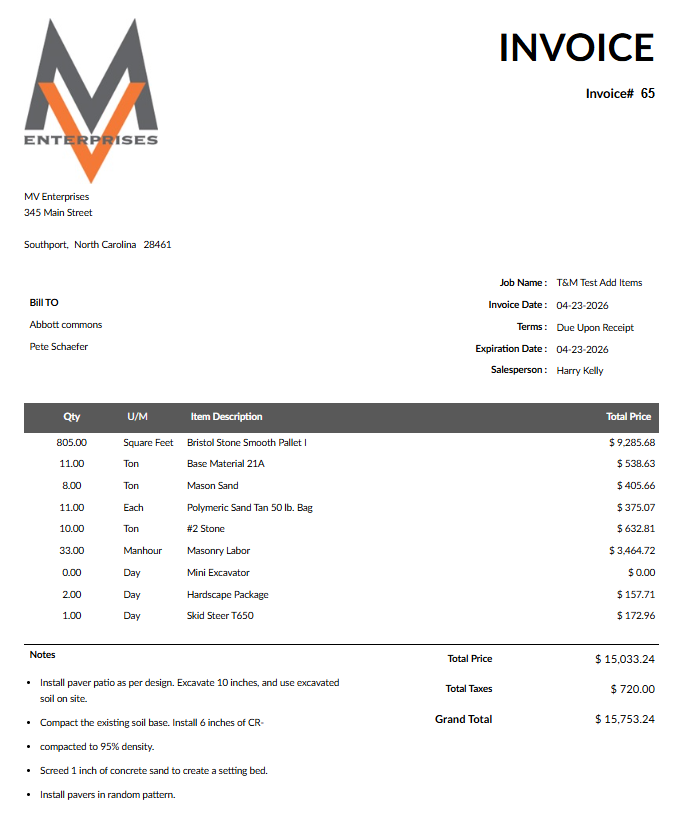
Time & Material Invoice
Initially a proposal is generated based on the best approximation of what is required to complete the job. When the time and material billing type is selected, the labor materials and equipment pricing will be generated on what was actually used by the crew has entered into the job cost system. The pricing is based on the default overhead and profit numbers.
-
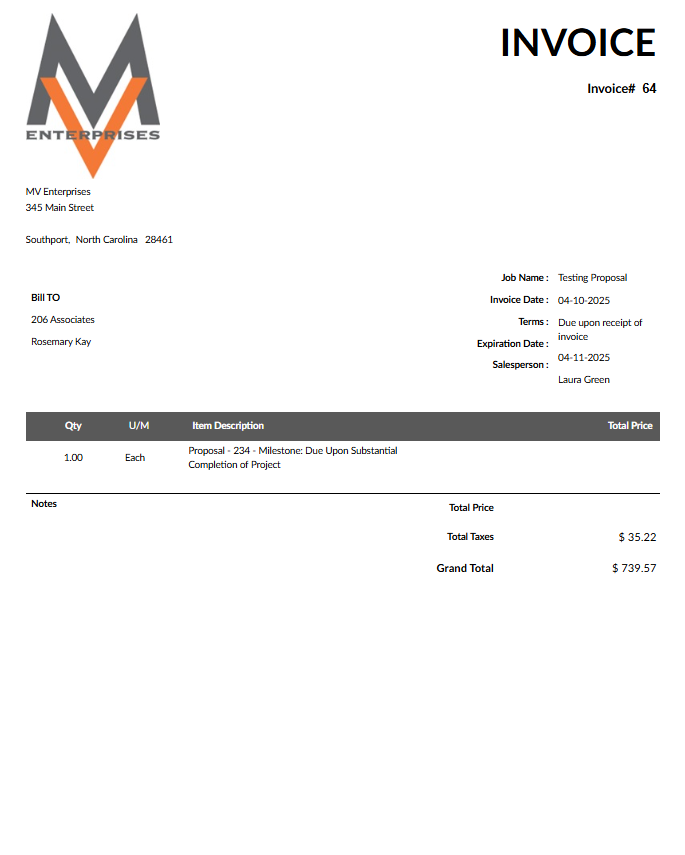
Milestone or % Based Invoice
The milestone invoice is generated based on the payment schedule selected for each proposal. Each milestone reached will generate a percentage of the price as indicated on the proposal. The milestones can be edited to reflect an event for each proposal. For example: completion of rear patio.